
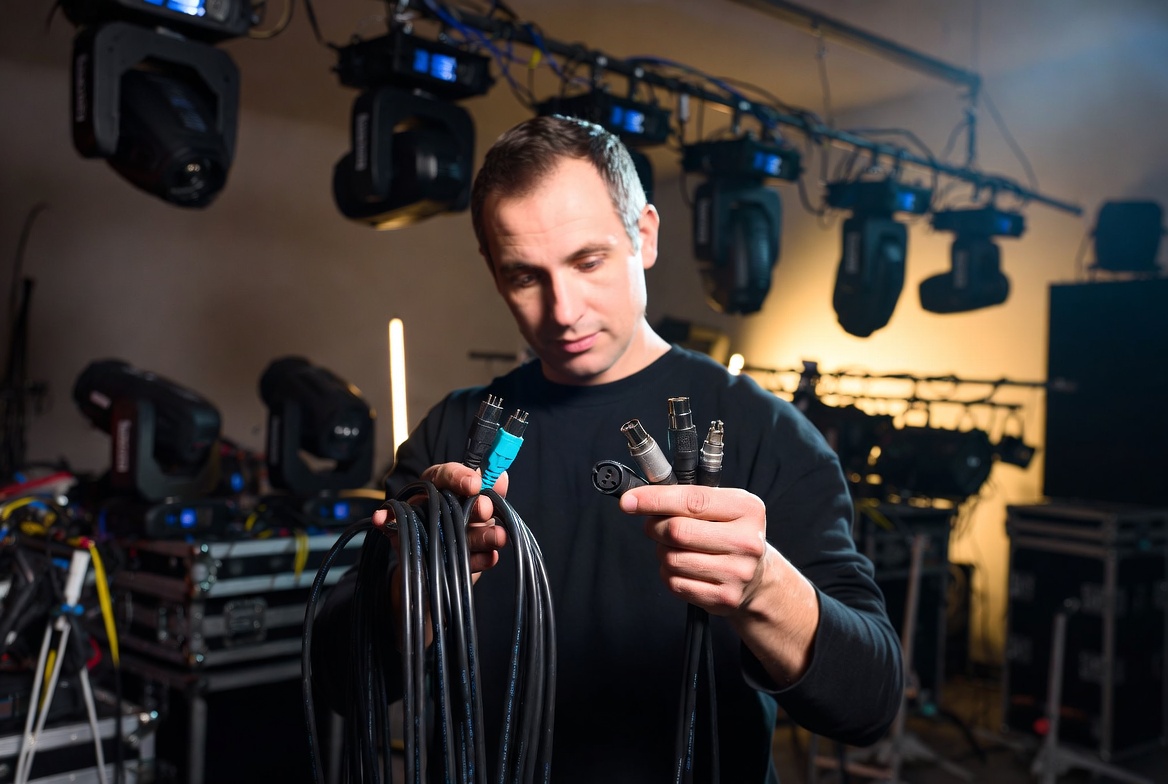
The Quick Answer: Yes, in a situation where you need to connect your DMX fixtures and you don’t have a DMX cable, you can use a standard XLR audio (microphone/powered speaker) cable, and it will probably work well enough in many situations. You won’t hurt anything, but you may see performance problems, especially as your system become more complex with more fixtures, greater lengths or an electrically noisy environment. A 3-pin XLR microphone cable physically does fit into a 3-pin DMX fixture connector, but its internal electrical properties are entirely different. Analog microphone cables possess a variable characteristic impedance of 70 to 75 Ohms, whereas the digital DMX512 protocol strictly requires a characteristic impedance of 110 to 120 Ohms. Substituting microphone cables causes severe digital wave distortion, leading to randomly flickering fixtures, timing delays, and uncalibrated pan/tilt movements across your entire lighting rig. Again, if your in a fix, give it a try. If you’re buying new cables to use with your DMX rig, the smart move is real DMX cables, and they should cost about the same as standard XLR audio cables.
1. Characteristic Impedance and Signal Reflection: The 75-Ohm vs. 110-Ohm Conflict
The fundamental difference between these two cable types is characteristic impedance. This is not the simple DC resistance you can measure with a standard handheld multimeter; it is an electrical value determined by the physical spacing of the internal copper conductors, the thickness of the insulation material, and the geometric layout of the cable core.
Analog microphone cables are engineered to transport low-frequency, low-voltage audio signals ranging from 20 Hz to 20 kHz, and are standardly rated at 75 Ohms. In stark contrast, the digital DMX512-A protocol relies on high-speed serial data pulses running at a fixed 250 kbps frequency under the EIA-485 electrical standard.
When a high-frequency digital pulse traveling through a 75-Ohm microphone cable suddenly hits the fixed 120-Ohm internal transmission circuit of a professional lighting fixture, it encounters a massive electrical boundary mismatch. Because the impedance profiles do not align, the voltage pulse cannot smoothly cross the connection. Instead, a massive percentage of the signal’s electrical energy slams into the interface and reflects backward down the cable jacket. This backward-traveling wave creates an “echo loop” that crashes directly into trailing incoming packets, corrupting the binary code and causing downstream lighting fixtures to act erratically.
2. Core Capacitance and Waveform Rounding: Overpowering the Square Wave
Microphone cables are intentionally manufactured with high internal capacitance, often exceeding 30 to 40 pF/ft. In the analog audio world, this high capacitance is highly beneficial because it acts as a low-pass filter to bleed off high-frequency radio interference and keep a vocal mic sounding clean over long cable runs.
However, high capacitance acts as an absolute destroyer of high-speed digital data streams. A clean DMX signal relies on sharp, instantaneous, perfectly vertical transitions between high and low voltages to represent binary 1s and 0s—a shape known as a square wave.
When you inject a high-frequency digital square wave into a high-capacitance microphone cable, the cable behaves like a battery, absorbing the rapid electrical voltage changes and discharging them too slowly. This rounds off the sharp vertical edges of the square waves, mutating them into slow, sluggish, sloping sine-wave curves. By the time this signal reaches the end of a 100-foot audio cable run, the receiving microprocessor inside your moving head light can no longer accurately identify where a binary 1 ends and a binary 0 begins. The data drops entirely, causing fixtures to stutter or blackout mid-performance.
3. Shielding Matrix Configuration: Audio Hum vs. High-Frequency Stage EMI
The physical construction of the external shielding wrapping the internal wires represents another critical engineering divergence between these two cable formats. Analog microphone cables typically employ a spiral-wrapped copper shield or a loose, flexible copper braid. This specific configuration is optimized to block low-frequency electromagnetic interference, such as the 60Hz hum generated by standard power transformers and stage vocal mics.
True, tour-grade DMX data cables utilize a premium dual-shield matrix consisting of a 100% coverage aluminum foil wrap paired with a highly dense tinned copper braided shield. This extreme level of shielding is mandatory because a live concert stage is constantly saturated with high-frequency electromagnetic interference (EMI) and radio frequency interference (RFI). This noise is emitted by high-output LED drivers, digital audio wireless packs, electronic switch-mode power supplies, and automated moving head stepper motors. A loose audio shield allows this high-frequency noise to easily penetrate the data core, introducing digital crosstalk that corrupts your timing loops.
4. Production Engineering: DMX and XLR Cable Compatibility FAQ
Why do some lighting fixtures use 3-pin XLR connections if the official DMX standard is 5-pin?
When the USITT originally standardized the DMX512 protocol in 1986, they explicitly mandated the use of 5-pin XLR connectors to prevent production crews from accidentally plugging low-voltage data cables into high-voltage 48V phantom-powered audio lines, which can instantly fry a lighting board’s processor. However, many budget-friendly lighting manufacturers began installing standard 3-pin XLR jacks on their fixtures to cut manufacturing costs and appeal to mobile DJs who already owned 3-pin cables. Today, premium tour-grade fixtures stick strictly to the 5-pin standard, while mid-tier fixtures often provide both 3-pin and 5-pin pass-through loops.
Can I safely use a DMX data cable as an audio microphone cable in a pinch?
Yes. You can safely use a 110-Ohm digital DMX cable as an analog microphone line without risking any hardware damage to your soundboard or mics. Because a DMX cable features incredibly low internal capacitance and superior dual-shielding, it will pass clean, noise-free audio perfectly. The only downside is that true DMX cables are physically stiffer and more expensive than audio cables, making them less ideal for a stage vocalist who needs a highly flexible, high-drape line.
How can I visually tell the difference between a DMX cable and an audio cable if they both have 3-pin XLR connectors?
If the cables look identical from a distance, check the print running along the rubber outer jacket. Genuine digital data cables will have text printed every few feet reading “110-OHM DIGITAL,” “DMX512,” or “AES/EBU”. Additionally, if you unscrew the metal boot of the XLR connector, high-quality DMX cables will generally feature noticeably thinner internal conductor wires wrapped in a stiff, distinct foil layer, whereas standard microphone cables will have thicker copper strands insulated with soft rubber or cotton filler strands.
Blockages in data pipelines kill live events. Elevate your system infrastructure and secure your live show with Gig Tuff’s Tour-Grade 110-Ohm DMX Cables. Built with premium low-capacitance cores, double-shielded aluminum-copper foil matrices, and true 110-Ohm architecture, Gig Tuff cables guarantee your digital square waves remain perfectly sharp from the control desk to the final fixture on your truss.