
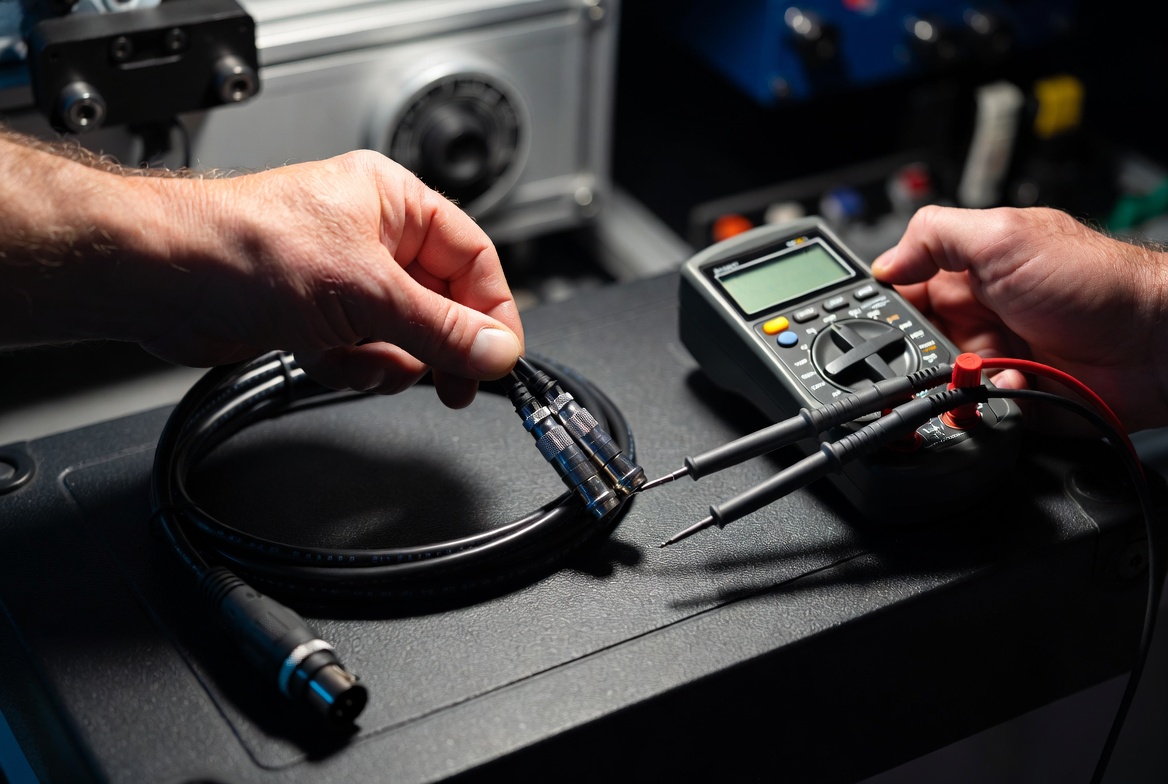
The Quick Answer: To test a DMX cable with a digital multimeter, switch the dial to Continuity Mode (the audio buzzer icon). Place one probe into Pin 1 of the male XLR connector and the other probe onto Pin 1 of the female connector; you must hear a continuous audio beep. Repeat this end-to-end check for Pin 2 to Pin 2, and Pin 3 to Pin 3. If the meter remains silent on any matching pair, the cable has an open circuit. Conversely, if you touch two different pins simultaneously (e.g., Pin 2 to Pin 3) and hear a beep, the cable has an internal short circuit and must be removed from your stage rig.
1. The End-to-End Continuity Protocol: Diagnosing Open Circuits
The most frequent cause of DMX data dropouts is an open circuit, which happens when a copper conductor physically snaps inside the cable jacket due to tight wrapping, being stepped on, or heavy road-case wheels rolling over it.
To systematically test for internal breaks, set your digital multimeter to Continuity Mode. If your specific meter lacks an audible buzzer, turn the dial to the lowest Resistance (Ω) setting, typically 200 Ohms. Insert your testing probes correspondingly across the terminal faces of the XLR connectors:
- Pin 1 (Ground/Shield) to Pin 1: Must register an instant audio beep or read close to 0 Ω.
- Pin 2 (Data Negative) to Pin 2: Must register an instant audio beep or read close to 0 Ω.
- Pin 3 (Data Positive) to Pin 3: Must register an instant audio beep or read close to 0 Ω.
- For 5-Pin DMX lines, repeat this exact matching step for Pin 4 and Pin 5.
Interpretation: If the multimeter remains completely silent or displays “OL” (Open Line / Over Limit) on any matching pair, a copper conductor has severed. While a broken Pin 1 (shield) might allow signal to pass in a small testing room, it leaves the line completely defenseless against stage EMI, causing downstream fixtures to flicker violently the moment the main stage power is turned on.
2. Pin-to-Pin Short Circuit Isolation: Detecting Crossed Copper
An internal short circuit occurs when the insulation separating the internal copper cores melts or tears, allowing the bare wires to physically touch. This completely kills the EIA-485 differential signaling voltage, locking down the data line and freezing or blacking out every fixture connected down the chain.
To isolate an internal short, keep one multimeter probe firmly held on Pin 2 of the male XLR connector. Take your second probe and touch Pin 1, and then Pin 3 on that exact same connector block.
Interpretation: Your multimeter must remain completely silent and show an infinite resistance value (OL). If you hear an acoustic beep or register a numerical resistance reading between different pins, you have an internal short circuit. This often happens inside the connector boot when high stage heat softens the solder points, or when a cable is compressed under heavy stage weights, bridging the data wires together. Any cable failing this test must be cut or marked for resoldering immediately.
3. Resistance Attenuation: Identifying Cold Solder Joints
A cable can pass a basic continuity beep test but still destroy a digital lighting show. This happens when a cable suffers from high resistance degradation. If a solder joint is cracking inside the XLR boot, or if the internal copper strands are mostly fractured but still barely touching, the cable acts as a resistor, weakening the high-frequency 250 kbps data signal as it tries to pass.
Switch your multimeter dial away from the continuity buzzer and onto the standard Resistance (Ω) setting, choosing the 200-Ohm range. Connect your probes to measure the loop resistance from Pin 2 to Pin 2, and then Pin 3 to Pin 3.
Interpretation: High-quality, tour-grade DMX lines under 50 feet should register a stable, ultra-low resistance value between 0.5 Ω and 2.0 Ω. If your meter reads an elevated or fluctuating calculation (anything above 5.0 Ω), it indicates a severely oxidized or failing “cold” solder joint. This elevated resistance rounds off the sharp edges of the digital square waves, turning clean binary data into an unreadable mess by the time it reaches your moving heads.
4. Advanced Field Testing: DMX Cable Maintenance FAQ
What is the physical difference when testing a 3-pin DMX cable versus a 5-pin DMX cable?
The testing mechanics are exactly identical, but a 5-pin DMX cable requires checking two additional conductors. Under the official USITT DMX512 standard, Pin 1 is Ground, Pin 2 is Data -, and Pin 3 is Data +. Pins 4 and 5 were originally reserved for a secondary data link or talkback return. In 95% of modern fixtures, Pins 4 and 5 are completely unused electrically inside the moving head, but the cable itself must still pass continuity from Pin 4 to 4 and Pin 5 to 5 to prevent data loop bottlenecks if a fixture passes those lines through its circuit board.
Why does my cable pass a multimeter test but still fail when plugged into my lighting fixtures?
A multimeter only tests a cable using a tiny, low-frequency direct current (DC) voltage. It cannot simulate the high-speed, 250,000-pulses-per-second digital signal of a live light show. If a cable has high capacitance (like a standard analog microphone cable mistaken for a DMX cable), a multimeter will beep and say it is perfect. However, when real DMX data runs through it, that internal capacitance absorbs the high-frequency transitions, distorting the signal. To completely rule this out, you must verify the physical cable jacket printing reads “110-Ohm Digital” or “DMX”.
How do I test for an intermittent cable short that only happens during a show?
Intermittent failures are the hardest stage glitches to catch because they only happen when a cable is moved, hung, or shaken by stage vibrations. To diagnose this, hook up your multimeter probes to a pin pair (like Pin 2 to Pin 2) using alligator clips so your hands are free. While watching the meter or listening to the continuity buzzer, vigorously flex, twist, and pull the cable jacket right near the stress-relief boot at both ends. If the buzzer drops out or the resistance jumps erratically while you flex the cable, the wire is fracturing inside the boot and will inevitably fail during a live performance.
Blockages in data pipelines kill live events. Protect your production infrastructure with heavy-duty Gig Tuff Stage Cables. Engineered with ruggedized, heat-resistant strain relief boots, dual-shielded matrix cores, and pure tinned copper wiring, Gig Tuff cables guarantee near-zero resistance and absolute signal clarity under the most intense live concert conditions.